Deep learning is a breakthrough machine learning technique in computer vision. It learns from training images provided by the user and can automatically generate solutions for a wide range of image analysis applications. However, its main advantage is that it is able to solve many applications that are difficult to solve with traditional, rule-based algorithms in the past. Most notably, these include inspecting objects with highly variable shape or appearance, such as organic products, highly textured surfaces, or natural outdoor scenes. In addition, when using off-the-shelf products such as our Deep Learning Add-on), the amount of programming effort required reduces to almost zero. Deep learning, on the other hand, is shifting the focus to processing data, handling high-quality image annotation, and experimenting with training parameters - elements that actually tend to take up the majority of time in today’s application development.
Typical applications include:
Detect surface and defects (e.g. cracks, deformations, discoloration);
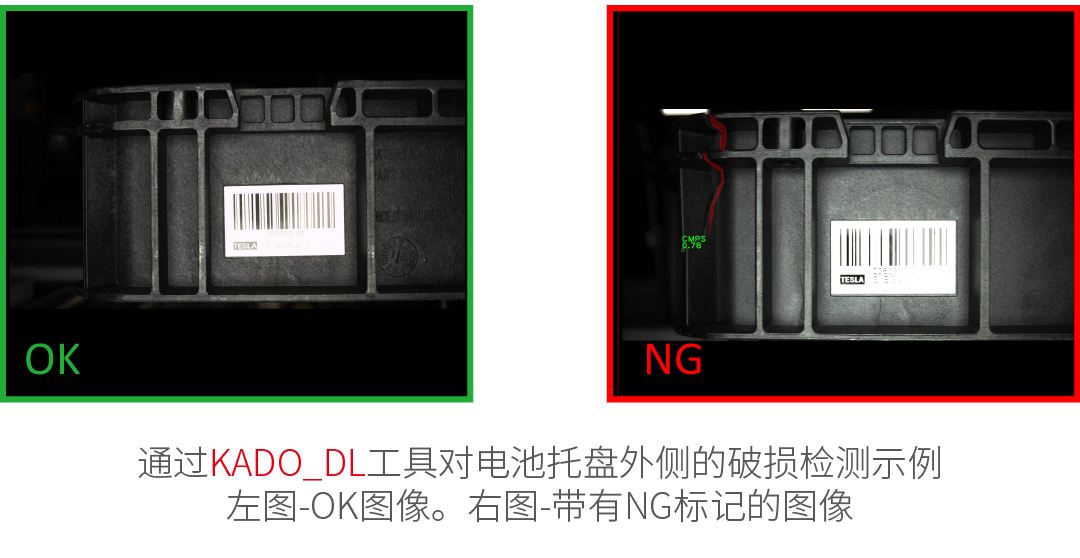
Detect abnormal or unexpected samples (e.g., missing, broken, or low-quality parts);
Identify objects or images according to predefined categories (i.e., sorters);
Location, segmentation, and classification of multiple objects in an image (i.e. bin pickup);
Product quality analysis (including fruit, plants, wood and other organic products);
Location and classification of key points, feature regions, and small objects;
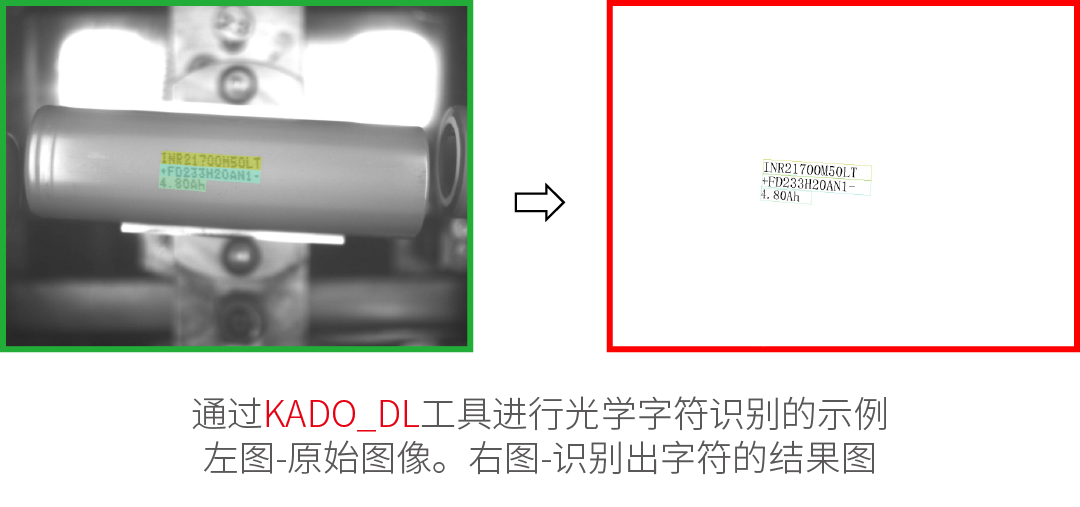
Optical character recognition.
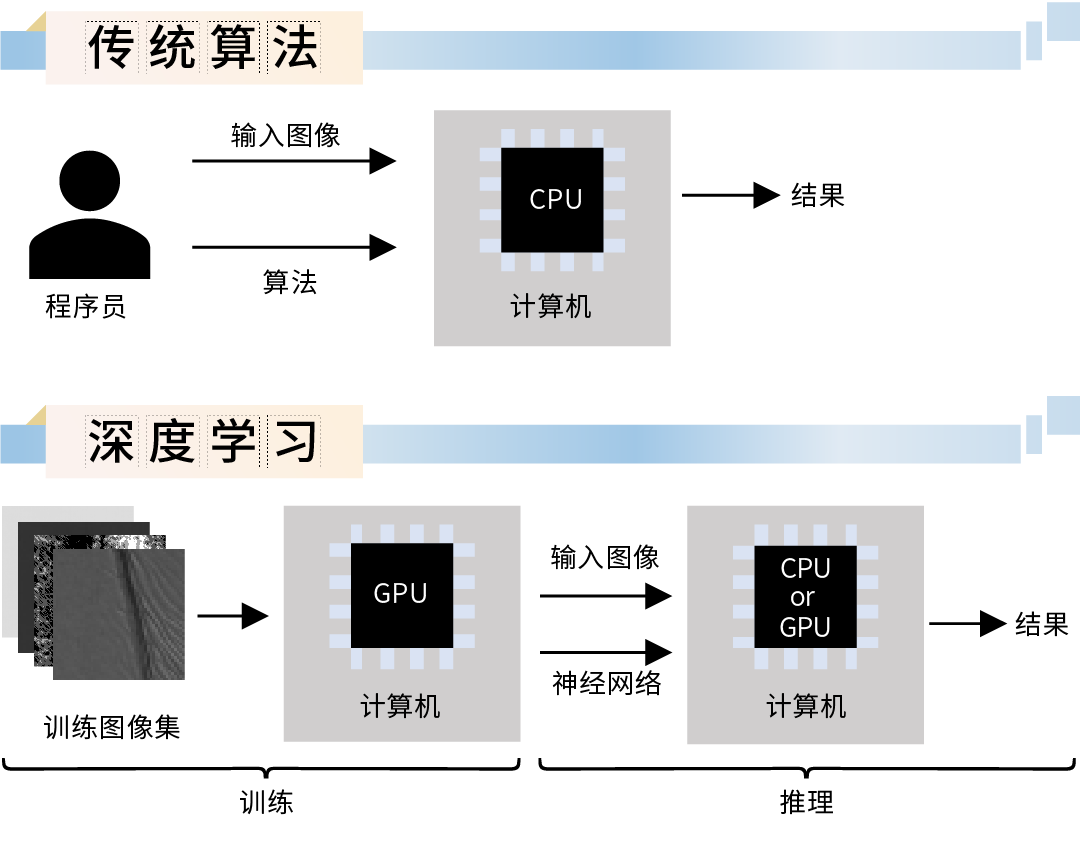
The use of deep learning functions consists of two stages:
train – Generate a model based on the features learned from the training samples.
reasoning – Apply the model to new images to perform practical machine vision tasks.
The difference from traditional image analysis methods is shown in the figure below:
Overview of Deep Learning Tools:

Abnomaly Detection - This technique is used to detect anomalous (unusual or unexpected) samples. It only requires a set of fault-free samples to learn the model appearance is normal. Alternatively, a few error samples can be added to better define the threshold of tolerable variation. This tool is particularly useful in cases where it is difficult to specify all possible defect types or negative samples are simply not available. The output of this tool is: a classification result (normal or defective), an anomaly score, and a (rough) heat map of anomalies in the image.

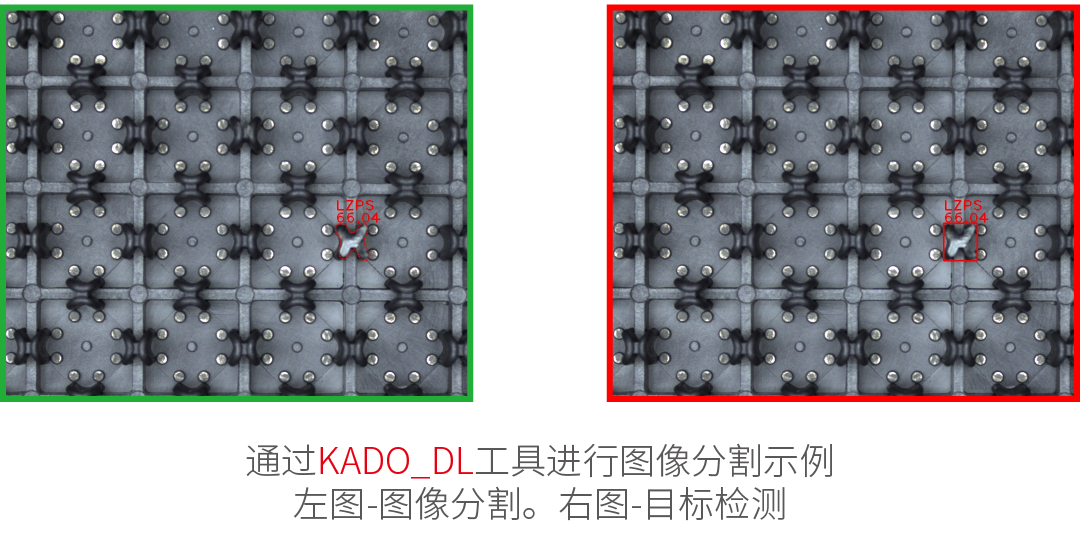
Feature Detection (Segmentation) - This technique is used to accurately segment one or more classes of pixel features. The pixels belonging to each class must be labeled by the user during the training step. The result of this technique is an array of probability maps for each class.

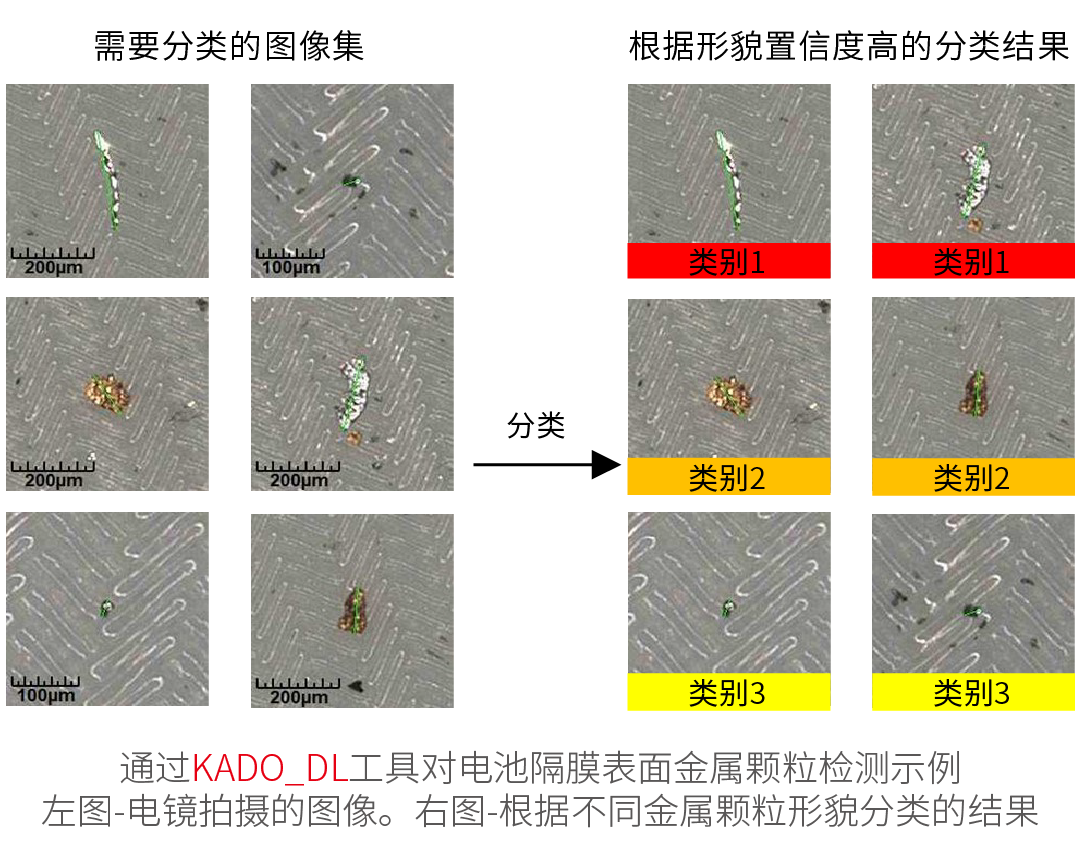
Object Classification - This technique is used to identify objects in a selected area using one of the user defined classes. First, a set of labeled images needs to be provided for training. The results of this technique are: Name detected classes and classification confidence.

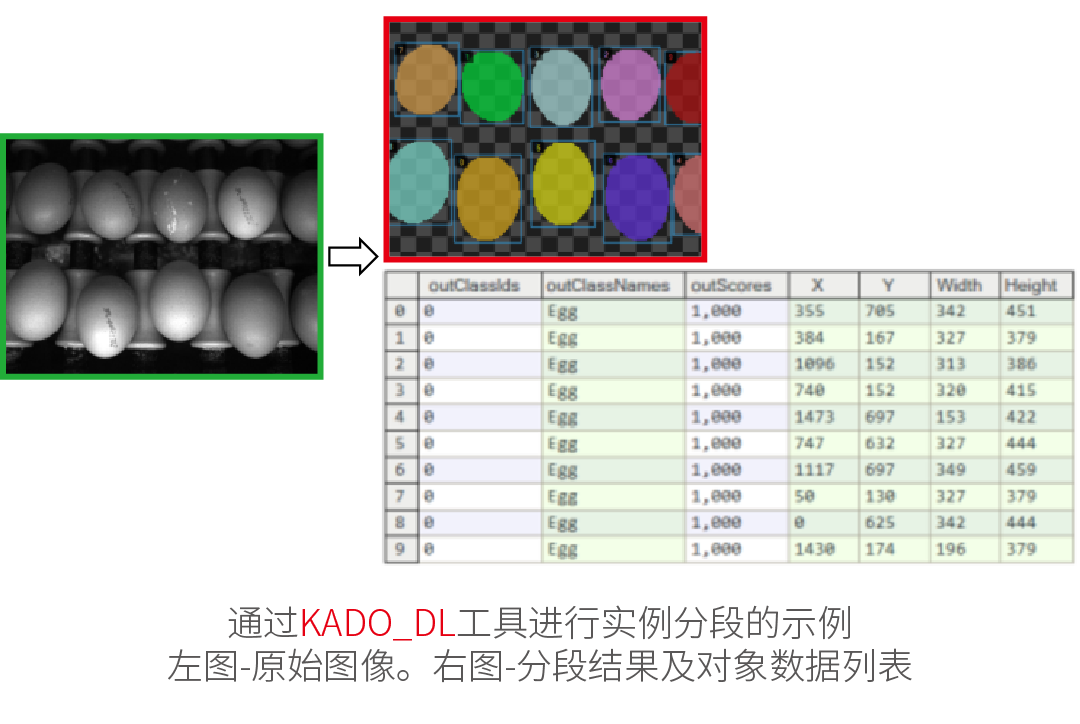
Instance Segmentation – This technique is used to locate, segment and classify one or more objects in an image. Training requires the user to draw regions corresponding to objects in the image and assign them to classes, which could detect objects – along with their bounding boxes, masks (segmented regions), class IDs, names and membership probabilities.

Character Recognition – This technique is used to locate and recognize characters in an image, which could find the characters list.